Endpoint Detection and Response (EDR): What It Does, What It Costs, Who Watches It
What endpoint detection and response does, how EDR differs from antivirus and MDR, what it costs, and the settings to check before you trust it.
By Scott McAuley · Nov 10, 2026 · 13 min read
Endpoint detection and response is the control that shows up on every cyber-insurance application, every ransomware guide and every MSP proposal — and it is also the one most small businesses can’t describe past the acronym. Ask an office manager what protects the laptops and you’ll usually hear the name of an antivirus brand, said with confidence, and no idea who would see an alert at 2 a.m.
Endpoint detection and response (EDR) is software on every laptop, desktop and server that records what the machine is doing, flags behavior that looks like an attack, and can stop it — by killing a process or cutting the device off the network — before one infected PC becomes forty. It is only as good as the person who answers its alerts. This article expands the endpoint chapter of our small business cybersecurity guide into working detail: what EDR does, how it differs from antivirus, MDR and XDR, what it costs, how to tell whether you already own it, and a checklist you can hand to whoever runs your IT.
What Is Endpoint Detection and Response?
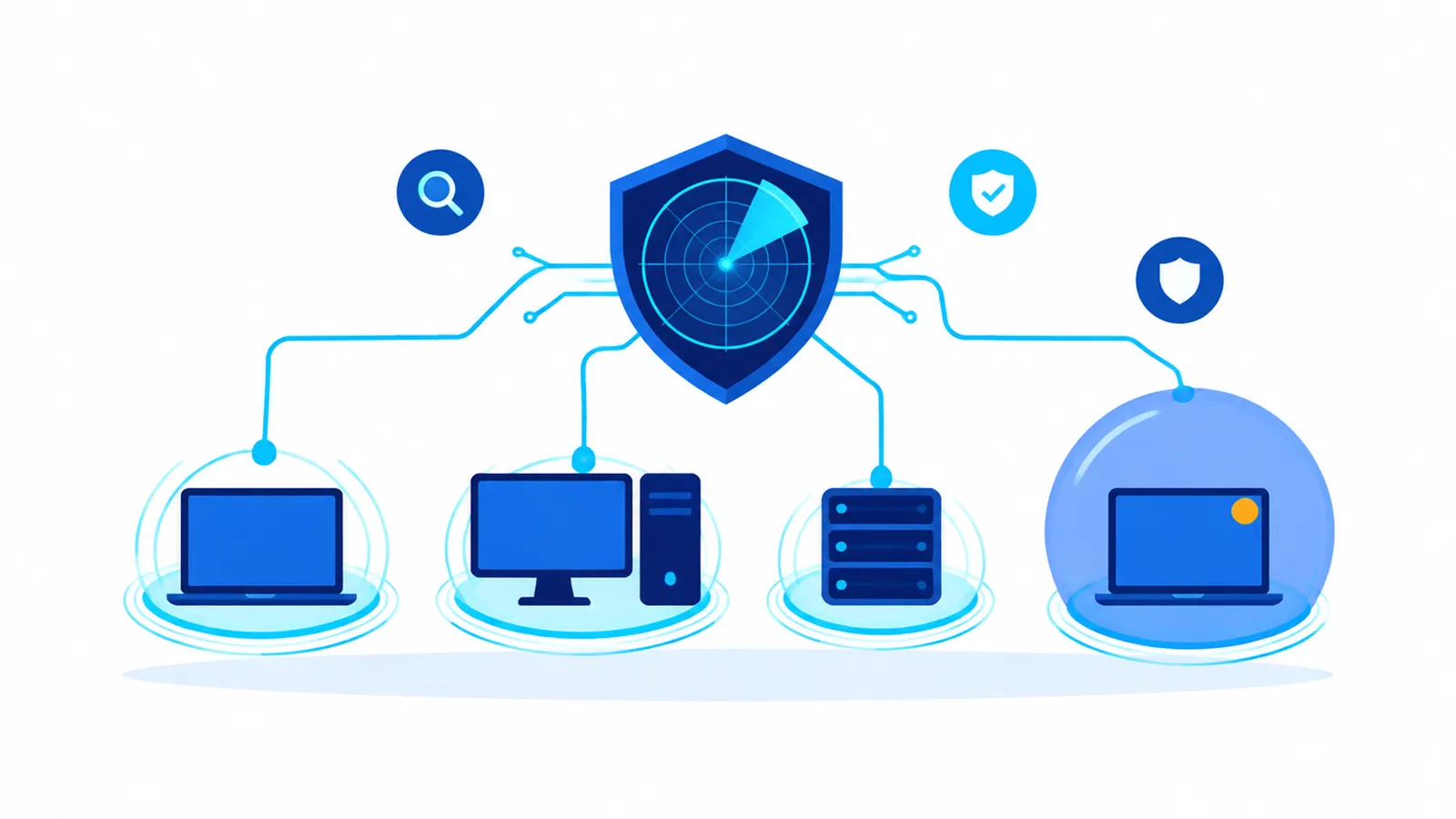
An endpoint is any device that runs an operating system and touches your data: workstations, laptops, servers, and increasingly the Windows PC behind the front desk that runs scheduling or the point-of-sale system. EDR puts a small agent on each one, and that agent does three jobs.
Record. It keeps a running log of process launches, file changes, network connections, logins and script activity. That telemetry goes to a cloud console, so the history survives even if the device itself is wiped or encrypted.
Detect. It looks for behavior, not just known files. A spreadsheet that launches PowerShell, a process renaming hundreds of files a second, a tool dumping stored passwords, a login followed by a remote-access program nobody installed — those patterns trigger alerts even when the malware itself is brand new.
Respond. It can act on its own or on command: kill the process, quarantine the file, roll back changes on some platforms, and isolate the device so it can only talk to the security console. Isolation is the feature that matters most for a small business, because it turns “the whole network is encrypted” into “one laptop is in the shop.”
That last point is why the federal government keeps naming it. The joint CISA, FBI, NSA and MS-ISAC #StopRansomware Guide tells organizations to use application allowlisting and/or EDR on all assets to stop the precursor malware that usually comes before ransomware, and it lists deploying EDR as part of scoping an incident once one is under way.
EDR vs Antivirus: What’s Actually Different?
Traditional antivirus compares files against a list of known bad ones. It is fast and cheap, and it still catches commodity malware. What it can’t do is notice an attacker who never drops a known file — which describes most hands-on intrusions now, because they log in with stolen credentials and use tools Windows already includes.
| | Traditional antivirus | EDR |
|---|---|---|
| How it detects | Matches files to known signatures | Watches behavior and sequences of events |
| Attacks using built-in tools | Usually misses them | Built to flag them |
| History after an incident | Little or none | Searchable timeline of what ran and when |
| Response options | Delete or quarantine a file | Kill processes, isolate the device, investigate remotely |
| Who reads it | Mostly nobody — it works silently | Someone has to triage alerts |
The practical difference shows up after the fact. When something goes wrong, antivirus can tell you it removed a file. EDR can tell you which user opened which attachment at what time, what it launched, which servers it reached, and whether data left the building. That timeline is what your insurer, your attorney and — for a medical or legal practice — your regulators will ask for.
Most modern products blend the two: a next-generation antivirus engine for prevention, with EDR on top for detection and response. If your current tool is only the first half, it is antivirus with a newer logo.
Who Watches the Alerts? EDR vs MDR vs XDR
This is the question that decides whether EDR protects you or just documents what happened.
EDR is the technology — the agent and the console. On its own it produces alerts, and some fraction of them need a trained person to decide whether they’re real.
MDR (managed detection and response) is the service: analysts who watch the EDR console around the clock, investigate alerts, and take the response action — isolate the laptop, disable the account, call you. We cover how MDR fits into a full security program in our guide to managed IT security services.
XDR (extended detection and response) stretches the same idea beyond endpoints, correlating signals from email, identity, cloud apps and the network. For a business on Microsoft 365, the most valuable extension is usually identity: seeing that the login that preceded the laptop alert came from another country.
The trap is buying EDR and assuming you bought MDR. An alert that lands in a shared inbox at 11 p.m. on a Friday gets read on Monday, by which time an attacker with a foothold has had a weekend. If a provider tells you “we have EDR,” the next question is always: who looks at the alerts after hours, and what are they allowed to do without calling us first?
Do Small Businesses Really Need EDR?
Yes, for any business with sensitive data, regulated data, or a cyber-insurance policy — which is most of the businesses we work with. Three reasons, in order of how often they come up.
Insurers ask for it. Cyber-insurance applications increasingly ask whether you run EDR, which product, and on what share of your devices. A “yes” on that form is a representation; if it isn’t true when a claim comes in, the claim is in trouble. We walk through the rest of that questionnaire in what cyber insurance requires from your IT provider.
Small businesses are where automated attacks land. Phishing kits and credential-stuffing tools don’t check company size. An office of twelve with no one watching is a better return for an attacker than an enterprise with a security operations center.
Detection speed is what limits the damage. Our ransomware prevention guide for medical and legal practices makes the point bluntly: a tool that isolates one infected machine overnight beats discovering every encrypted file at 8 a.m. EDR is how you get the first outcome.
It also maps to the frameworks you may be asked about. The NIST Cybersecurity Framework organizes security into Govern, Identify, Protect, Detect, Respond and Recover; EDR is one of the few tools that does real work in three of those at once.
Do You Already Own EDR Without Knowing It?
Plenty of small businesses are already paying for it. Microsoft lists Defender for Business — its EDR product for companies up to 300 users — at $3.00 per user per month, paid yearly, covering up to five devices per user, and says it is included in Microsoft 365 Business Premium, which it lists at $22.00 per user per month paid yearly (Microsoft list prices checked November 10, 2026; your agreement may differ).
Owning it is not the same as running it. We regularly find Business Premium tenants where the license is paid for and the protection is half-on: devices never enrolled, the policy left in passive or audit mode beside an old antivirus, automated investigation turned off, and alert emails going to a former employee. The license says EDR. The devices say otherwise.
If you are on Business Premium, the cheapest security improvement you can make this quarter is usually to finish deploying what you already bought.
How Much Does EDR Cost for a Small Business?
There are three ways to pay for it, and the line items look very different.
Bundled license. Products like Defender for Business inside Microsoft 365 Business Premium. The software cost is folded into a per-user subscription you may already have. The cost that remains is someone’s time to deploy, tune and watch it.
Standalone EDR license. Commercial EDR products for small businesses are usually priced per device or per user per month, often in tiers where the cheaper tier is prevention only and the higher tier adds full detection and response. Read the tier sheet carefully — “endpoint protection” and “endpoint detection and response” are not the same line.
EDR plus MDR. The license plus a 24/7 analyst service, priced per endpoint or per user. This is the option that actually answers the 2 a.m. question, and it is usually delivered by an MSP or MSSP rather than bought directly.
Inside a managed IT agreement, EDR and its monitoring are usually part of the per-user price rather than a separate invoice. Ours typically lands between $100 and $300 per user per month depending on security and compliance scope — the full breakdown is in our managed IT services buyer’s guide. Whatever you are quoted, ask for the EDR product name, the tier, and the monitoring hours in writing.
What to Verify Before You Trust It
Every EDR product looks good in a demo. These are the settings and facts that separate deployed from installed.
Coverage. What percentage of devices report in, and which ones don’t? Servers, the reception PC, the CEO’s home laptop and the machine running payment software are the usual gaps. If you take cards on a Windows-based POS, endpoint coverage also feeds your PCI obligations; our sister company Lone Star Payments explains the merchant side in its overview of PCI compliance and payment security.
Mode. Is it in active blocking mode, or passive, audit or detect-only? Passive mode is common after a migration and is easy to forget.
Tamper protection. Can a local administrator — or an attacker who becomes one — turn the agent off? Tamper protection should be on and locked from the console.
Isolation rights. Who is allowed to isolate a device, and is that action pre-approved for after-hours use? A response that waits for your permission at 3 a.m. isn’t a response.
Alert routing. Where do alerts go, who triages them, and what is the expected time to acknowledge? Get the answer as a name and a number, not a marketing phrase.
Retention. How many days of telemetry are kept? Many incidents are discovered weeks after they start, and an investigation can only look back as far as the logs go.
Testing. Has anyone run a harmless test detection and confirmed it produced an alert that a human saw? If not, you are trusting a smoke detector nobody has pressed.
When EDR Fires: The First Hour
An alert is the start of a decision, not the end of one. The workflow that works for small businesses is short and written down in advance.
1. Triage. The analyst looks at the alert in context: what process, which user, what happened before and after. Most alerts resolve here as benign.
2. Contain. If it looks real, isolate the device first and investigate second. Disable the user’s account and revoke their sessions if credentials may be involved.
3. Scope. Search the rest of the fleet for the same file, process or network address. EDR’s history makes this a query rather than a guess.
4. Notify. Call the business owner or the designated contact, and — if data may have been accessed — your cyber-insurance carrier’s hotline before engaging outside help, because most policies require it.
5. Recover and record. Rebuild or clean the device, restore from backup if needed, and keep the timeline. If personal information was involved, notification duties may apply; for Texas businesses that means Texas Business & Commerce Code chapter 521, and for healthcare the HIPAA Breach Notification Rule. Talk to counsel about the clock.
That sequence belongs in your incident response plan, with names and phone numbers next to each step.
The EDR Checklist
Hand this to whoever runs your IT and ask them to mark each line done, scheduled, or not applicable.
Deployment
- EDR agent installed on every workstation, laptop and server, with a coverage report showing the count
- Remote and home-use devices enrolled, not just office machines
- Old antivirus removed or set to work alongside EDR as the vendor documents
- Policy in active blocking mode, not audit or passive
Hardening
- Tamper protection on and controlled from the console only
- Automated investigation and remediation enabled where the product supports it
- Local administrator rights removed from everyday user accounts
- Telemetry retention documented in days
Monitoring and response
- Named owner for alerts during business hours and after hours, with acknowledgment targets in writing
- Pre-approved authority to isolate devices and disable accounts without waiting for a call back
- Alerts integrated with identity signals from Microsoft 365 or your email platform
- A test detection run in the last 90 days, with proof someone saw it
Paperwork
- EDR product name, tier and coverage percentage recorded for your cyber-insurance application
- EDR steps written into the incident response plan
- Quarterly review of coverage gaps and stale devices
Where This Lands
EDR is no longer the advanced option — it is the baseline your insurer, CISA and your own risk tolerance all expect, and for many Microsoft 365 customers it is already paid for. The difference between owning it and being protected by it is deployment, configuration, and a person who answers the alert. The rest of the baseline — MFA, backups, patching, email filtering and training — is laid out in our small business cybersecurity guide.
This is daily work for our cybersecurity practice: we deploy and tune EDR across every device, watch it with a 24/7 human team, and hand you the coverage report and configuration findings in writing — for businesses in Houston and across Texas. If you want to know what your endpoints would say about last night, start with a no-obligation assessment. The software sees everything. Someone still has to look.
Scott McAuley is the founder and CEO of Texas Management Group, and founder of Talos Automation and Talk Is Cheap — 25+ years running IT, communications, and automation for Texas businesses.
Frequently Asked Questions
What is endpoint detection and response (EDR) in simple terms?
EDR is security software on every laptop, desktop and server that records what each device is doing, spots behavior that looks like an attack, and can stop it by killing a process or isolating the device from the network. Unlike traditional antivirus, it catches attacks that use legitimate tools and keeps a searchable history for investigations.
What is the difference between EDR and antivirus?
Antivirus matches files against a list of known malware. EDR watches behavior — what runs, what it touches, where it connects — so it can flag attacks that never drop a known file, such as an intruder using stolen credentials and built-in Windows tools. EDR also lets someone isolate a device and investigate remotely, which antivirus cannot.
What is the difference between EDR and MDR?
EDR is the technology that detects and can respond to threats on devices. MDR, managed detection and response, is a service in which trained analysts watch the EDR console around the clock, investigate alerts and take action. EDR without someone assigned to its alerts often means a real attack is noticed hours or days late.
Does Microsoft 365 Business Premium include EDR?
Yes. Microsoft says Business Premium includes Defender for Business, its EDR product for organizations up to 300 users, which is also sold separately at $3.00 per user per month on an annual plan. Owning the license is not the same as being protected: devices must be enrolled, policies set to block, and alerts routed to someone who responds.
How much does EDR cost for a small business?
It depends on how you buy it. Defender for Business is $3.00 per user per month or included in Microsoft 365 Business Premium. Standalone EDR products are priced per device or per user in tiers, and 24/7 MDR monitoring costs more. Inside a managed IT agreement, EDR and monitoring are usually part of the per-user price.
About the Author
Scott McAuley is a Marine Corps veteran and 25-year IT executive. He is President & CEO of Texas Management Group, founder of Talos Automation, and creator of Talk Is Cheap, and was named IT Services CEO of the Year 2023. Full bio at scottmcauley.com →